Note: There will be an in-person training for client facilitators on the first day, Feb. 10. Before then, follow these steps:
- Register as an AARP volunteer: (note: this is not the same as getting registered as an IRS volunteer—this comes later, after you have passed tests! Note that the process requires creating an account at AARP.org first but you do NOT have to be a member of AARP to do so. Please let me know if you have any problems as they make it way too difficult to volunteer for the TaxAide program.
- Log into: http://www.aarpfoundation.org/taxaidevolunteer and click the red button “Volunteer” and create an account (this is not the same as joining AARP)
- Here is a document from AARP with detailed instructions on registering: Tax-Aide Application
- Log into: http://www.aarpfoundation.org/taxaidevolunteer and click the red button “Volunteer” and create an account (this is not the same as joining AARP)
- Complete the AARP Learning Modules:
- Go to the AARP volunteer portal at https://volunteers.aarp.org then click on the RED button “Log In to the Volunteer Portal” which will take you to the login screen for the Portal. Use your email address and then your password for the Portal to enter.
Just as a note, AARP hates Firefox. Just use the Chrome browser, it’s the best bet. If you are trying to get into a training module and are asked for some sort of email verification (through “Litmos”), the browser you are using is probably not good. The Litmos thing is a dead end they need to fix. - Once you are in, click the “Training” tab on the horizontal RED bar. Hopefully you will see the learning modules you need to do. They are: 1) Policies and Procedures; and 2) Technology and Security.
People who did these modules last year have an option to test out but you can also just rewatch the videos. The videos do have some important info and ask for some interaction so it’s good to pay a reasonable amount of attention. You are not graded on these modules and it is not important what you type into answer boxes as those are just to have you think for a minute.
Make sure you hit “exit” at the end, or it won’t give you credit.
- Go to the AARP volunteer portal at https://volunteers.aarp.org then click on the RED button “Log In to the Volunteer Portal” which will take you to the login screen for the Portal. Use your email address and then your password for the Portal to enter.
- Register with the IRS site: Here’s the link. Returning volunteers can use last year’s user name (email address) and password; new users will need to create a new account. Use the name on your government-issued ID. The website will ask you questions about your address etc. When done, submit the form. Then you have to email verify. When it asks you what volunteer position you have, the answer is TCE – AARP Volunteer. By selecting this, the system will put the right content in your training center.
- Review the training materials: You will need to take two tests (Volunteer Standards of Conduct, and Intake/Interview and Quality Review). The IRS puts out a booklet with all the test questions (called the 6744) so that you can check your answers before submitting. This is because if you fail (by getting less than 80 percent correct), you’ll have to take a whole different test and if you don’t do 80% or better on that one then you can’t be part of the TaxAide program!
These two tests are pretty easy, but if you want to check your answers before submitting, send your answers to either Anne or Heather.
Log into the site. It will have two options:
- Review the training materials: You will need to take two tests (Volunteer Standards of Conduct, and Intake/Interview and Quality Review). The IRS puts out a booklet with all the test questions (called the 6744) so that you can check your answers before submitting. This is because if you fail (by getting less than 80 percent correct), you’ll have to take a whole different test and if you don’t do 80% or better on that one then you can’t be part of the TaxAide program!
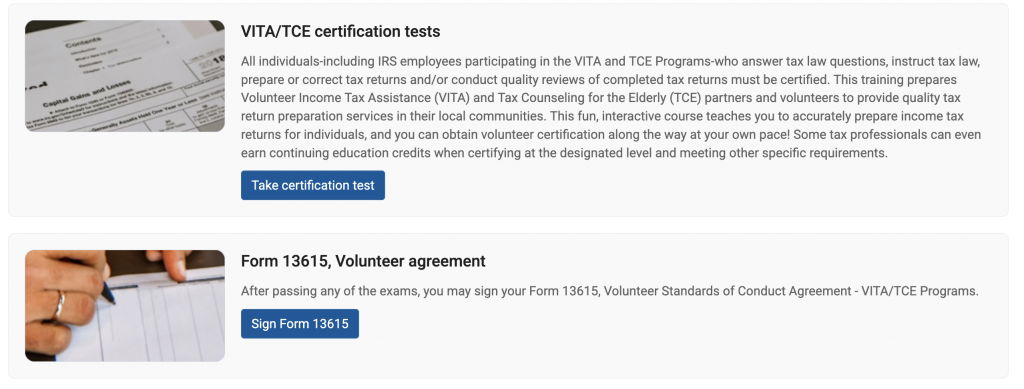
You’ll click on the first (certification tests) first take the tests, then when the tests are complete, you complete the volunteer agreement. We’ll include here links to the training documents, but they can be found on the link for the certification tests. You can find them by clicking the link for “Basic” (don’t worry, you don’t take the test yet). The links for the training are found at the top, but here they are below as well.
- Volunteer Standards of Conduct (VSOC): the test can be found on pages 14-16 in the 6744 booklet.
- Training Booklet (IRS publication 4961)
- Training Booklet (IRS publication 4961)
- Intake/Interview and Quality Review: pages 21-22 in the 6744 booklet
- Intake form: Your central job as a client facilitator will be to help the clients fill out the intake form. This is Form 13614-C.
- An IRS raining file helps with the test: Intake Interviewing and Quality Review
- I also found skimming this document helpful: VITA/TCE Intake/Interview and Quality Review Handbook
- Intake form: Your central job as a client facilitator will be to help the clients fill out the intake form. This is Form 13614-C.
4. Take the tests! Note: as a client facilitator, you only have to take the first two, not the basic test! Once you pass the tests, they will show up under certifications.
5. Complete the Volunteer Agreement: ***NOTE: for tax preparers, wait until you have completed ALL the certifications before filling out the volunteer agreement.
Go back to the home screen, and click on the “Volunteer Agreement” form. Fill it out. You don’t have to list a center (enter “none”). The volunteer position is TCE – AARP Volunteer.
Download the completed form and mail it to Don Jacobs (djacobs@wooster.edu). This gets you certified as a volunteer with the IRS.